Shape it by ear.
Dial it in by hand.
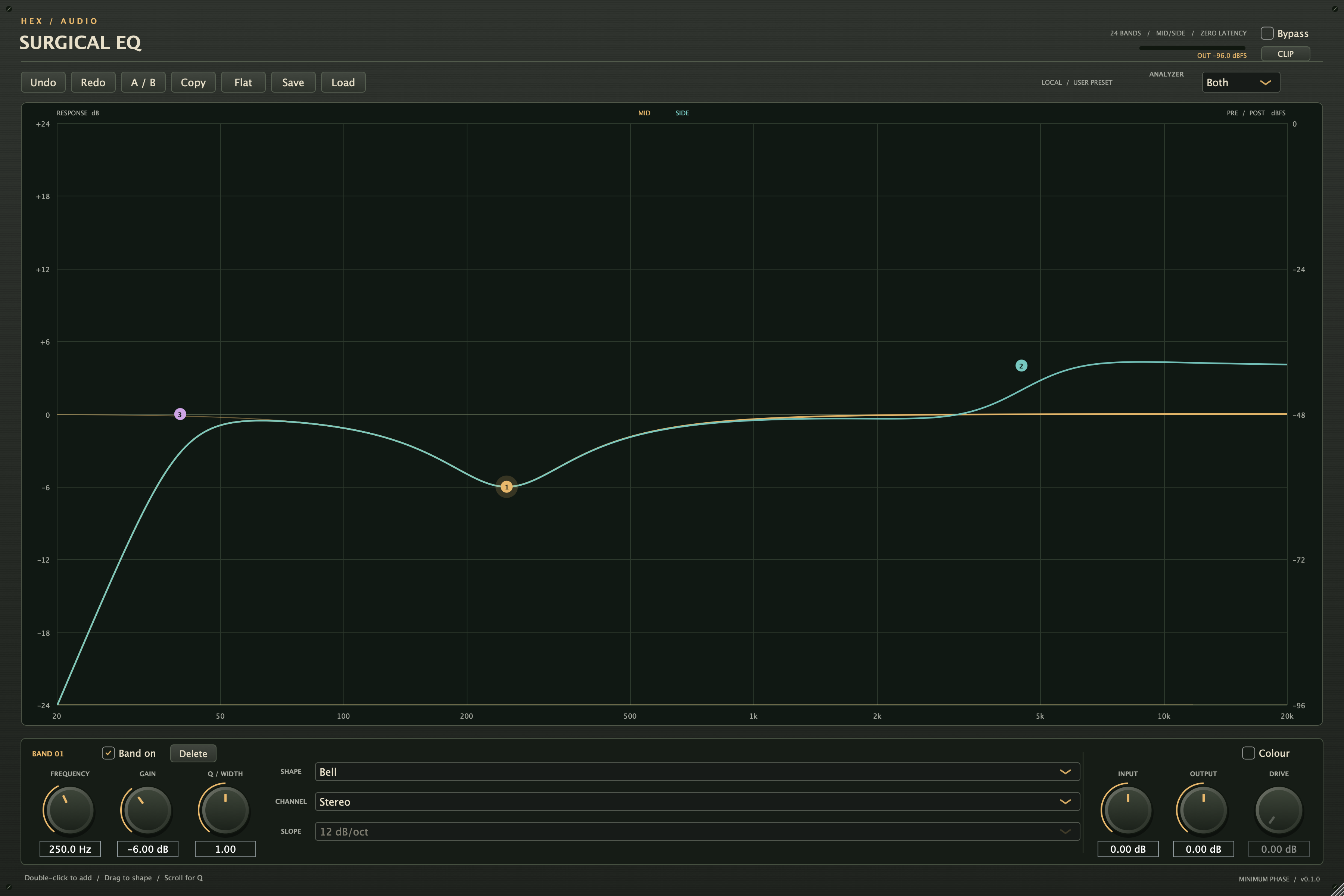
Double-click to add a band. Drag to shape your sound. Use the numeric controls when you need an exact move.
Free plugins. More possibilities.
Thoughtful tools for your next track.
Starting with a precise, flexible EQ.
Yours for free.
For Mac · AU & VST3 · No activation
Your first Hex plugin
Hex Surgical EQ puts precise shaping and broad tonal moves in the same place. Find what your track needs, then get back to making it.
Double-click to add a band. Drag to shape your sound. Use the numeric controls when you need an exact move.
Work in stereo, mid, or side on each band. Choose bells, shelves, cuts, and notches, with a pre/post spectrum analyzer.
Compare with A/B, save your presets, and undo a change. Add optional soft-clipping colour when the track calls for it.
Leave your email and the download is yours.
Updates are optional. Making music is the point.
A quick beta note. This installer is not Developer ID signed or notarized. macOS may ask you to approve it. Intel runtime and clean-Mac installation testing are still pending. Read installation help.
Your signup is saved. Download the Mac beta, then follow the installation notes below.
Download Mac installerVersion 0.1.0 · AU + VST3 · about 32 MB
How to installThis is a local test signup. The button downloads the existing beta installer from this Mac.
Quit your DAW, open Install Hex Surgical EQ Beta.pkg, and follow macOS Installer. Then reopen your DAW and search for Hex Surgical EQ.
In REAPER, search in the FX browser. In Logic, look under Audio FX → Audio Units → Hex Audio. REAPER VST3 checks passed; a separate Logic loading test remains pending.
This beta is unsigned and not notarized. After trying to open it normally, you may need to approve this specific installer in System Settings → Privacy & Security → Open Anyway.
Only do this if you trust the download. Follow Apple’s instructions. No Terminal commands or global security changes are part of installation.
The package includes AU and VST3 builds for macOS 12 or later, on Apple Silicon and Intel. Apple Silicon AU validation and REAPER VST3 checks passed. Intel runtime, clean downloaded-Mac installation, and extended DAW tests are still pending.
This is a friends beta. Save your session and try it in a test project first. There is no Windows version in this release.
Open Uninstall Hex Surgical EQ in your home Applications → Hex Audio folder. It moves the plugins to Trash and keeps your presets and music.
Yes, this plugin is free. There is no account, activation, or automatic plugin telemetry. An optional donation feature may be added later. For now, try it, make something, and share your feedback.